The Making of the Website
Motivation
I have always wanted to make a website is to showcase my projects. Too many of my projects just ends up in my drawer collecting dust without any documentation which I myself ended up forgetting the details.
Its not just for show to other people. At some point, I think its important to see what was projects I did and reflect how much I have grown.
Another reason is to improve my technical communication skill. I always enjoy a well presented technical presentation and this is my attempt at improving this skill, which i think is crucial for every engineer.
Requirements
I have set a few requirements for my website
| Requirement | Explanation |
|---|---|
| Free | I am a broke student (I am willing to trade my sanity for free stuff) |
| Open Source | The code should be transparent and fully customisable if I ever want to customise it the future. The idea of self-hosting my website on my own server in the future is also very interesting. |
| Easy to post | Manually creating my own html + css for each page is just not worth my time. I want something that can convert text, code, image to a nicely formatted page. |
| Looks nice | I once tried becoming a graphics designer. I failed miserably and pursued engineering instead. So, I need some template to help with the design of my website. |
Basically I need a simple blog with that is suitable for sharing technical details.
Linkedin is not great for sharing any technical article. I realised that halfway when I made an article about my 2nd year Embedded Systems Project. No syntax highlighting for code snippet and limited formatting options.
Attempts
There are many free online website making service online nowadays. Most of them are freemium of course.
Since I am just looking for a simple static website it doesnt really make sense for me to pay especially with how many free options are out there.
So basically you need 2 things for a static website:
- Somewhere to host the website
- Web files (html, css, files and etc)
Hosting
After looking online there are many free options to host static website for free notably Github Pages, Netlify, Vercel, Cloudflare Pages, etc.
But after looking at the incident where a user was falsely charged 100k for a static website. Lets just say I am not going for any option that has potential for getting charged.
So GitHub Pages and Cloudflare Pages are the two options that I have explored since they are the most popular options (i think?).
We will go over them but first we have to decide how to create the website files.
Creating the website files
I am not a CS major and a lot of discussion about website making is always about some this new web framework.
In theory you just need an index.html file for a static website to work.
I dont need some fancy web app features or some AI slop for my website. I’ll write pure HTML if I have to but that would look awful and hard to maintain.
Based on my somewhat limited research, I have found the perfect solution - Jekyll
Its a tool that can convert markdown to static website.
For those who dont know, markdown is a markup language for creating formatted text with plaintext. It is used by default for github readme.
This is perfect for me since markdown is easy to edit and I dont need fancy formatting (I can still do custom html/css if i want to)
Not only that, there are plenty of open source jekyll templates that I can use:
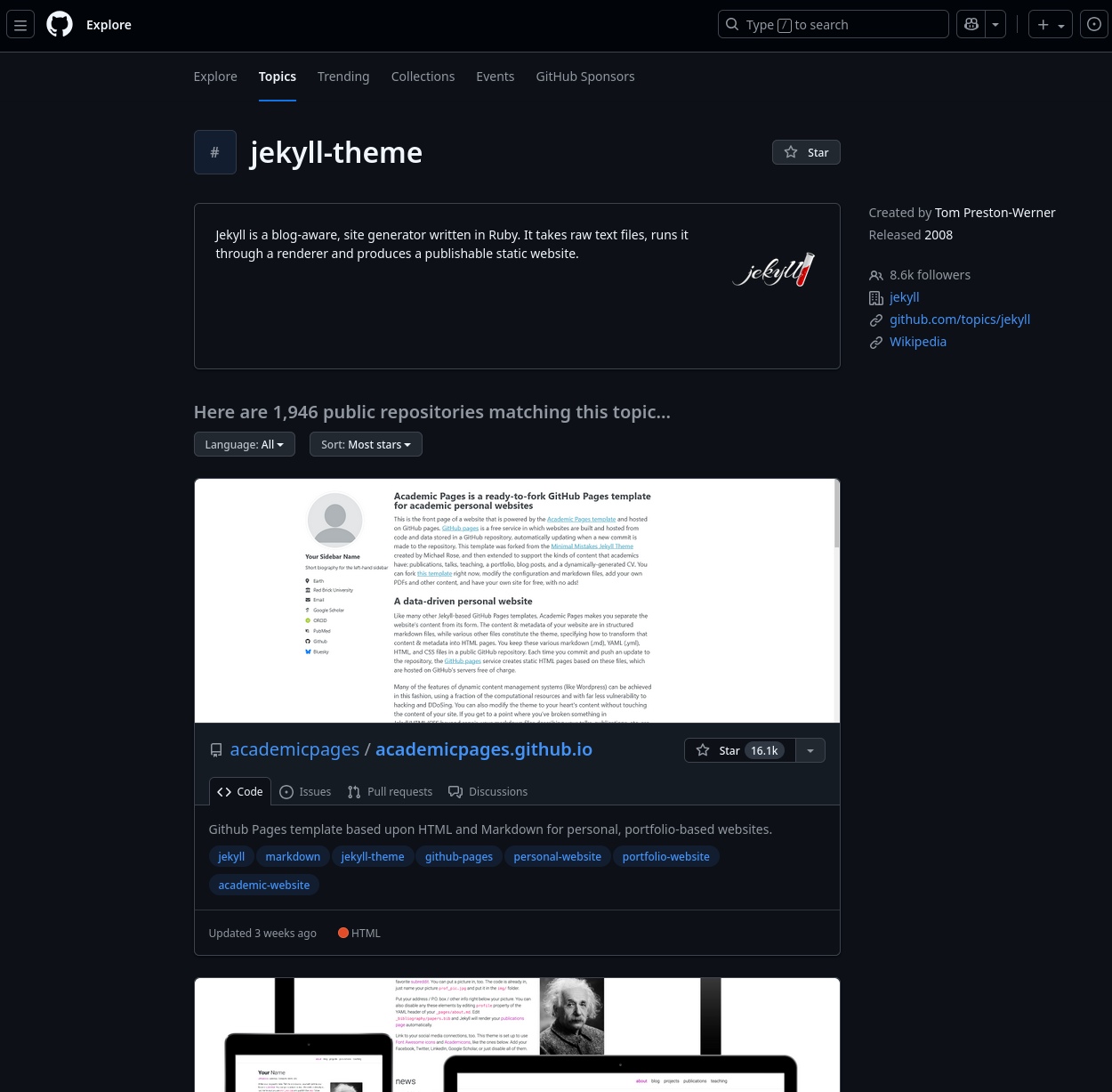
Originally Jekyll is the default template for Github Pages. But nowadays the support for it seems getting worse and there are many outdated tutorials online where the options are now unavailable.
Regardless, the templates are still nice.
GitHub Pages
Being one of the most commonly recommended way of making free website online, my first attempt of making my website is to use GitHub pages.
Github Pages is github’s implementation of website hosting with integration of user repos.
You would think the integration with repo and being under one of the biggest tech giant (Microsoft), this would an easy process.
Its quite the opposite.
As mentioned before the way you setup the website are now very different than what it used to be. Now you are encouraged to use GitHub Actions to generate the files.
One interesting thing is that, the way it would typically work is that these themes typically comes with code that can generate the website files for you.
So, although you can run and generate the files locally, for some reason, you would only push the files and then the server will generate their version themselves.
One advantage is that you would only need to keep track of the contents that you care about and not have to care about each individual generated html/assets files.
This is where Github pages beomes problematic, to generate the files, you would need to use github actions and the implemention is far not great, atleast for beginners.
I used one of the most starred template on github - Chirpy, and even then struggled to get a website published:
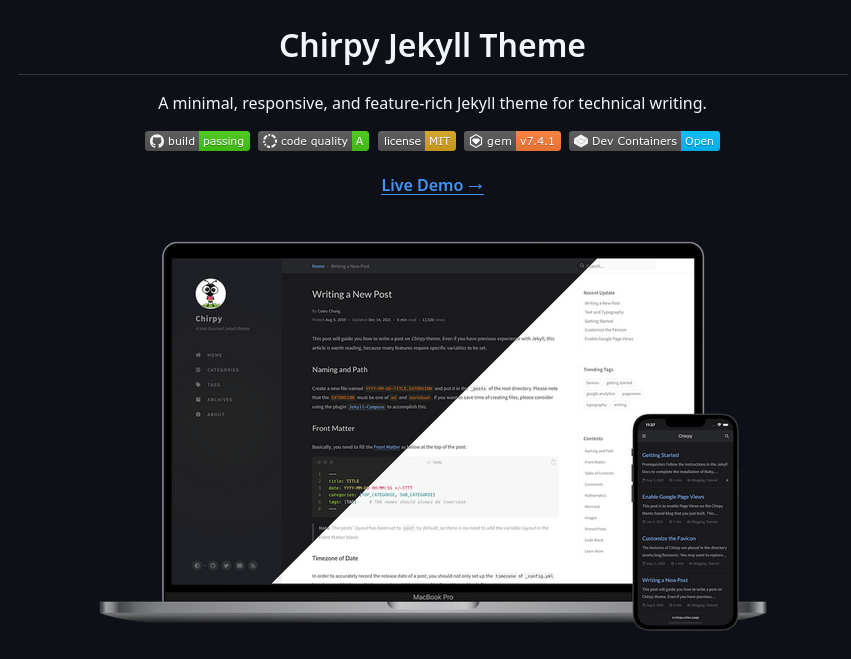
I eventually get the website working though.
However, because of issues with github actions, and the template although is nice looking, it lacks customisability and some of the theme default colours and fonts are just not to my liking.
Cloudflare Pages
In my second actual attempt, I tried another option - Cloudflare Pages
Unlike github pages, you can actually use a private repo for your website files, so you can hide your horrible code (definitely not me).
Plus, repo integration is a lot smoother in my experience and every update to the repo, cloudflare automatically detects it and generates the new version with jekyll.
Finally, since you can also buy domains on cloudflare, you can easily add your custom domain and point it to your website.
This is not an ad for cloudflare but my experience with cloudflare has been smooth (-ish) so far.
It could just be that because Ive already learnt a lot from my experience with github pages that it was an easy transition to cloudflare.
I have also been using it for a while and havent used it extensively so lets see if I would feel the same way in the future.
This time im also changing to another theme - Minimal Mistakes
It supports a lot more customisation and I although Im still learning how to use it, the flexibility is definitely very attractive for me.
Conclusion
I have learnt a lot through my experience developing this website.
If you are thinking of making your own, I definitely recommend it. The amount of web-dev-ish things that I learnt unintentionally makes you appreciate the tech behind the internet we know and love.
I wont detail each steps I did to make this website as its not meant to be a tutorial and I would always recommend refer to the latest documentation as software changes a lot over time.
If you read till this point thanks and this is also my first post here so pls be nice